boot failure: systemctl status system-fsck-root.service
I had downtime in my lab due to an power failure which resulted in a boot failure of my VCSA 6.5 appliance. Looking on the console showed me a "[FAILED] Failed to start File System Check on /dev/dis...uuid/uuid. See 'systemctl status system-fsck-root.service' for details." message. Therefor it booted into 'Emergency Shell' or 'Emergency mode'.
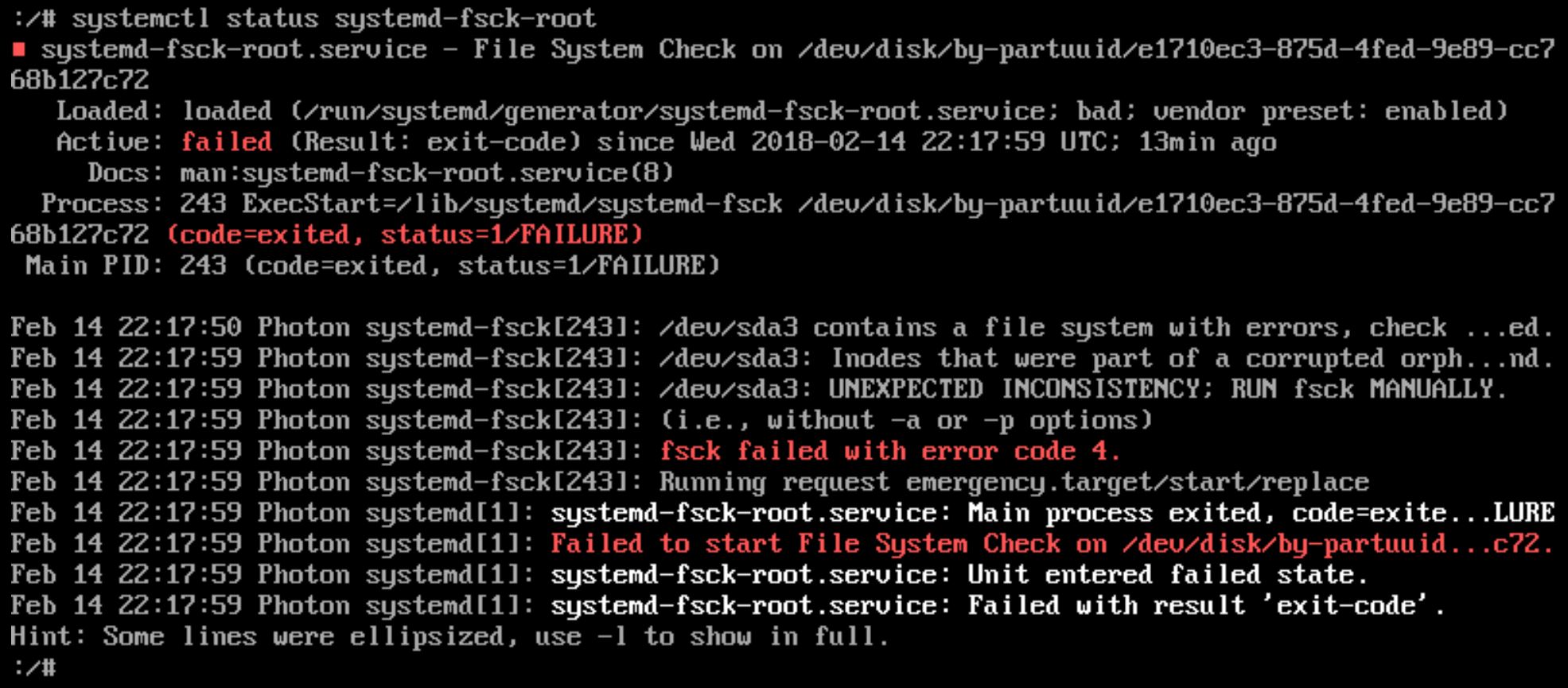
I ran the command 'systemctl status systemd-fsck-root' manually. This showed me that the '/dev/sda3' partition was having issues.
UPDATE: It also states "RUN fsck MANUALLY". I did not notice this the first time src="https://blog.vconsultants.be/wordpress/wp-content/uploads/2018/02/fsck_error2-1024-449.jpg" title_text="fsck_error2"
I tried to run fsck with no options to see if the command was known to the CLI. I then ran the command with the partition as a parameter 'fsck /dev/sda3'. I answered 'y(es)' to all 'Fix
In the end I received the message 'FILE SYSTEM WAS MODIFIED' and tried to reboot. The reboot command gave me an error so I went through the ESXi to reset the virtual machine. Afterwards I was able to login again. https://blog.vconsultants.be/wordpress/wp-content/uploads/2018/02/fsck_error5-1024-69.jpg" title_text="fsck_error5"
